Core financials
Income Statement, Balance Sheet, Trial Balance, General Ledger, cash flow, and other supported views share the accounting source.
Financial reporting
LedgerHQ produces supported financial statements, ledger detail, comparisons, and exports from the company's accounting records so a firm can review the path from report total back to posted activity.
Income Statement, Balance Sheet, Trial Balance, General Ledger, cash flow, and other supported views share the accounting source.
Supported period and management views help firms explain change rather than export isolated totals.
Web views and supported PDF or spreadsheet exports serve review, company-owner delivery, and downstream work.
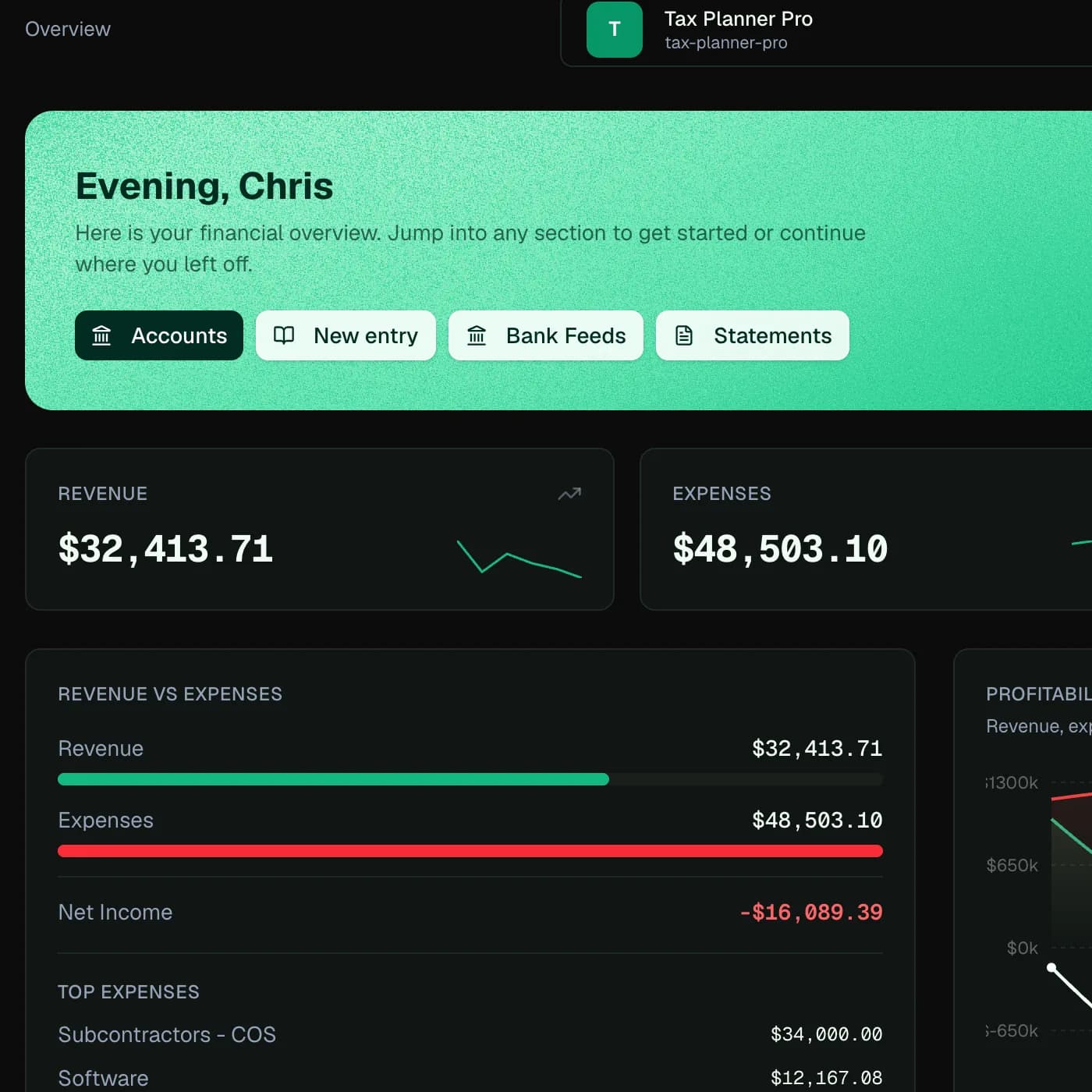
A useful report is not a detached dashboard calculation. The account classification, journal lines, dates, posting state, and company period determine the result.
LedgerHQ keeps report access close to charts, registers, entries, bank work, and reconciliation so a reviewer can investigate the numbers that look unusual.
Core financial statements answer different questions from a general ledger, trial balance, comparative schedule, or management ratio view. LedgerHQ exposes a report catalog rather than collapsing every need into one dashboard.
The web and accountant mobile product share the supported report catalog and native report detail behavior.
A report can render successfully while the books are still incomplete. Firms should review bank and reconciliation status, unexpected balances, period locks, and material journal activity before treating a package as final.
Tally can help inspect supported report context and present structured results, but it does not turn incomplete evidence into complete books.
How the workflow moves
The exact action depends on permissions, company context, and the evidence available. The workflow stays inspectable from intake through review.
Report access is company-scoped and permission-aware. Report output reflects current accounting data and does not override posting, period locks, or reconciliation controls.
A generated report is not an audit, assurance opinion, tax return, valuation, forecast, or guarantee that the underlying books are complete.
Questions
LedgerHQ includes core reports such as the Income Statement, Balance Sheet, Trial Balance, General Ledger, cash flow, period comparisons, and additional supported management views.
Supported reports include PDF and spreadsheet export paths. Exact availability depends on the report and surface.
Tally can generate, inspect, explain, compare, and present supported report data within company scope and the firm's configured permissions.
Keep exploring